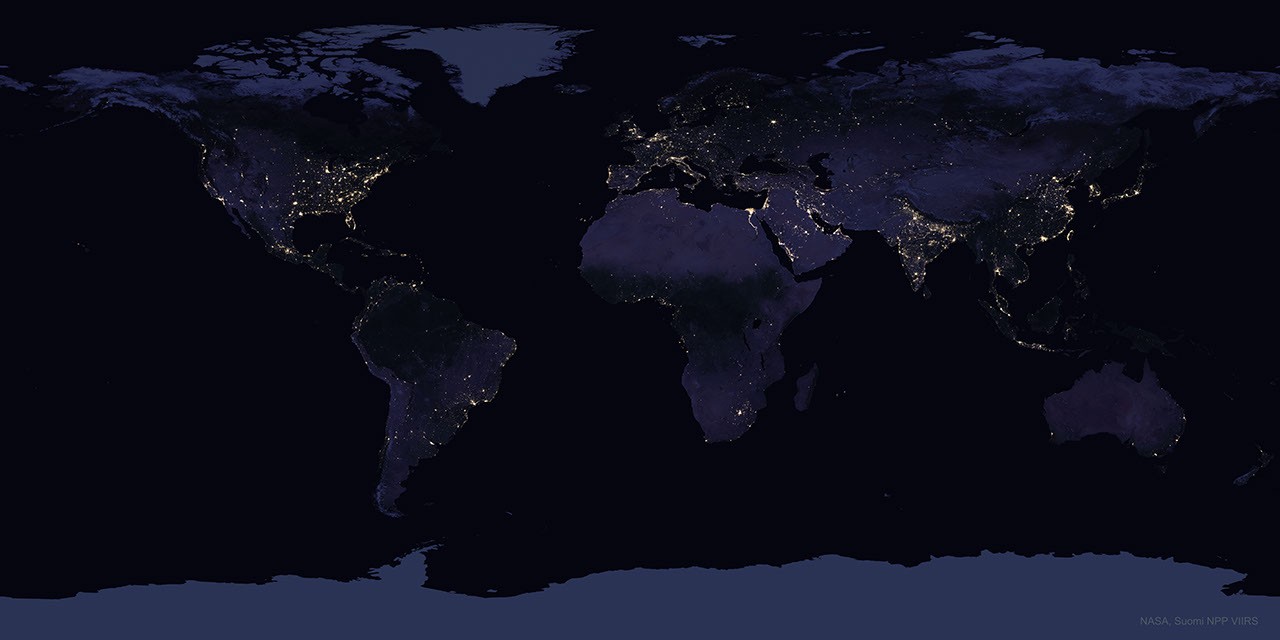
Smart telescopes get sold with a specific promise: image the deep sky from your driveway. That promise is mostly true, with a specific asterisk. Which targets come out clean, and how long you have to stack them, depends almost entirely on how bright your sky is. The useful shorthand for sky brightness is the Bortle dark-sky scale, a nine-step rating where 1 is a mountaintop in rural Chile and 9 is Times Square. Most owners live somewhere in the Bortle 5 to Bortle 8 range and have never seen what the same scope produces two Bortle classes in either direction.
This is the honest version of what each Bortle zone looks like through a Seestar, Dwarf, Vespera, Odyssey, or Origin — what works, what doesn't, how long it takes, and when to just load the scope in the car.
The Bortle scale in one paragraph
Bortle class 1 is a true dark site: Milky Way casts shadows, zodiacal light is bright, M33 is naked-eye easy. Class 2 is still exceptional (21.6-21.75 SQM). Class 4 is rural with mild light domes (20.8-21.3 SQM). Class 5 to 6 is typical suburban (19-20 SQM). Class 7 is a bright suburb or small city edge (18.5-19 SQM). Class 8 is city (below 18 SQM, orange or gray sky, few constellation stars visible). Class 9 is inner-city with essentially no naked-eye stars outside the Pleiades. The jumps aren't linear — the step from 5 to 3 is bigger than the step from 3 to 1 for smart-scope imaging, because narrowband filters flatten the city penalty and nothing flattens the final broadband gap. The numbers above come from the current Wikipedia Bortle scale article; the Light Pollution Map is how most owners actually measure where they live.
Performance by Bortle zone
The table below is calibrated against real smart-scope imaging reports under each class, not telescope-rig numbers. "Integration time" is the ballpark total exposure needed to pull a representative image of each target class — not a hard rule.
| Bortle | SQM | Emission nebula (dual-band) | Galaxy (broadband) | Reflection nebula | Realistic hero shots |
|---|---|---|---|---|---|
| 1-2 | 21.6+ | 30-60 min | 1-2 hr | 1-2 hr | Nearly anything — IFN, outer M33 arms, galaxy groups |
| 3 | 21.5 | 45-75 min | 1.5-3 hr | 2-3 hr | Faint galaxies, bright reflection nebulae, dust lanes |
| 4 | 21.0 | 1-1.5 hr | 2-3 hr | 3-4 hr | Bright Messier galaxies, M31 dust lanes, bright reflection |
| 5-6 | 19-20 | 1.5-2 hr | 3-5 hr | 4-6 hr (marginal) | Emission nebulae, bright galaxy cores |
| 7 | 18.5-19 | 2-3 hr | 4-6 hr (marginal) | Not viable | Emission nebulae, Moon, planets |
| 8 | <18 | 2-4 hr | Not viable | Not viable | Emission nebulae with dual-band, Moon, planets |
| 9 | <18 | 3-5 hr | Not viable | Not viable | Brightest emission nebulae only, Moon, planets, bright clusters |
Two caveats before anyone sends mail. First, integration time scales roughly with the square of background noise, so these numbers are reasonable midpoints — your scope's aperture, QE, and the Moon phase will shift them up or down. Second, the "not viable" entries mean "won't produce a good image in a normal session." You can integrate for ten hours over four nights on M31 from Bortle 7 and get something real — it just isn't where the smart-scope workflow shines.
What works in Bortle 8-9 (city)
Narrowband emission is the entire game in the city, and this is where smart telescopes are weirdly well-suited: every one of them ships with a dual-band or duo-band filter that passes only H-alpha and OIII. City skyglow is mostly between those two emission lines, so the filter throws away the skyglow and keeps the signal. Space.com's review of the Unistellar Odyssey Pro from Bath, UK, in Bortle 7-8 pulled 45 minutes on the Western Veil, 67 minutes on M31, and 27 minutes on NGC 7479 — small galaxies integrated longer than large ones, because surface brightness matters more than catalog brightness.
Realistic city targets, ranked by how forgiving they are:
- Emission nebulae in the current sky: in late fall, the California Nebula, Pacman, Rosette, North America, Heart & Soul, Veil — all dual-band responsive.
- The Moon, which doesn't care about Bortle class at all. See the moon imaging guide for exposure settings.
- Planets, with the same caveat — atmospheric seeing matters, light pollution doesn't.
- Bright open clusters (Double Cluster, M45 broadband mode) — short integration, broadband filter off.
- Planetary nebulae: Ring, Dumbbell, Blue Snowball. Tiny but bright; dual-band helps.
What doesn't work in the city: galaxies (beyond showing a core), reflection nebulae (M45's blue glow, Running Man near Orion), faint planetaries, dark nebulae.
What opens up at Bortle 4-5 (good suburban or rural edge)
This is where most dedicated amateurs live, usually by moving to the edge of town. Bright Messier galaxies become real objects — M31 shows dust lanes in 90 minutes, M51 shows spiral structure in two hours, M104's dust band comes out cleanly in an hour. Emission nebulae drop from 2-3 hour integrations to under 90 minutes with the same filter. The Pleiades blue reflection starts appearing after about three hours broadband, though it needs four hours to look clean.
This is also where the scope aperture starts to matter. A Seestar S30 Pro and a Vespera 3 produce noticeably different results on faint galaxies at Bortle 4 that look nearly identical at Bortle 8. If you live in a Bortle 7 driveway and travel occasionally to a Bortle 4 cabin, the larger scope earns its price difference on the trip, not at home.
What opens up at Bortle 2-3 (the trip)
At Bortle 3 or darker, the hero shots start showing up. Faint galaxy halos, Integrated Flux Nebula, outer arms of M33, tidal streams, dust around nearby reflection nebulae. The Dwarf 3's EQ mode starts earning its keep because you can push to longer sub-exposures without star trailing. Narrowband integration times drop so sharply — 30-45 minutes for targets that need 3 hours in the city — that you can walk away with six or eight finished images in a single night.
This is the sky every smart-scope marketing shot was taken under, and it's genuinely not available to anyone living under a dome of city sky, no matter how much they spend on filters or integration time. If you own a smart telescope and have never taken it to a Bortle 3 site, you have not yet seen what it can do. Our dark-sky trip planning guide covers the logistics; the Light Pollution Map is how you pick the spot.
Filter choice by Bortle zone
| Bortle | Default filter | Notes |
|---|---|---|
| 1-3 | UV/IR cut (or none) | Dual-band still helps on narrowband targets, but gains shrink. Broadband becomes viable on most targets. |
| 4-5 | UV/IR cut for broadband, dual-band for emission | Match the filter to the target type as covered in the filters guide. |
| 6-7 | Dual-band for emission, UV/IR cut for galaxies/clusters | The galaxy shot in Bortle 7 is a long integration, not a filter problem. |
| 8-9 | Dual-band always on for deep sky | Broadband DSO essentially off the menu; stick to emission, Moon, planets. |
The rule is boring but accurate: dual-band for emission nebulae regardless of sky brightness; broadband (UV/IR cut or clear) for everything else. The reason it matters more in the city is that the filter is doing more work there — in Bortle 2 you could shoot an emission nebula without the filter and still get a result, in Bortle 8 you cannot.
The 10-minute planning move that changes everything
Before your next session, open the Light Pollution Map, drop a pin on your yard, and note the SQM. Then drop pins on the three nearest spots within a two-hour drive that read 21.0+ SQM (Bortle 4) and the nearest spot that reads 21.6+ (Bortle 2). Save them to your phone. Half of smart-scope image frustration is unmatched expectations — the scope is doing what it can, the sky isn't letting it. Once you know where to drive, the scope stops feeling like the limiting factor, because it mostly isn't.
For processing whatever you bring home from any zone, the Siril guide covers getting more out of the raw stacks, and GraXpert handles the light-pollution gradients the scope's app usually can't.